Podman Create Secret: 3 Easy Methods
Let's check in detail about the "Podman Create Secret" command to manage sensitive data in your container application securely. Is your secret data leaking?
Kashyap Merai / / podman · 5 min read
Securing sensitive data is the key requirement when you run the containerized application in Podman. The developer struggled to find a way to securely store sensitive data and ended up hardcoding the secret inside the image or accidentally leaking the data.
Let’s check in detail about the “Podman Create Secret” command to manage sensitive data in your container application securely.
Why Use Podman Secrets?
Before answering why use Podman let’s check the methods to store the sensitive data and the associated problems.
Store Sensitive Data in Containers
Hardcoding Secrets in Image
This is bad practice, avoid it at all costs. Storing the secrets inside the container image can expose those secret data to anyone with access to that image.
Store Secrets in Environment Variable
Writing and exporting the secrets as environment variables seems convenient, but there’s a catch. When you use the environment variable, ps aux or inside the container logs this data is visible.
Mounting File as Secrets
Mounting files as secrets is a good idea but proper file permission is crucial. Wrong file permission can expose the secrets to the attackers.
Advantages of Podman Create Secret
Enhanced Security
Podman stores the secrets separately from the container image, as we have seen hardcoding the secrets inside the image is bad practice.
Centralized Managed
Podman uses centralized storage for sensitive data and secrets making it easy to use and mount them while running the containers.
Easy Workflow
Podman provides convenient commands to manage your secrets easily. Podman create secret, list secret, or inspect secret are easy to integrate with your CICD workflow.
Podman Create Secret: Step-by-Step Guide
Let’s check the step-by-step guide for creating the secrets with Podman, before that check the below prerequisites.
Make sure you have the Podman installed in your system before you can follow along. If you want to install the Podman you can follow the official Podman documentation.
If you want to utilize the new feature and platform-specific build check the below article:
Build Podman from Source: 5 Easy Steps
Create a Secret from a File
You can create a file with the password, API Keys, or other sensitive data and use it with podman create secret command:
# Echo the sensitive data to file
echo -n super_duper_secret > ./secret.txt

# Use the above file to create secret
podman secret create super_secret ./secret.txt
Podman will create the secret super_secret from the file secret.txt
Create a Secret from Standard Input
You can pipe the standard input stdin data to the Podman command:
printf "super_duper_secret" | podman secret create super_secret -⚠️ Caution: Using the
stdinmethod for creating Podman secret makes it visible to terminal history.
Create a Secret from the Environment Variable
You can create the Podman secret with the environment variable by passing the additional option --env=true
podman secret create --env=true super_secret SUPER_DUPER_SECRETPodman creates the secret super_secret from the already available environment variable SUPER_DUPER_SECRET
Create a Secret from GPG Encryption
Podman provides the support for the GPG encryption for an extra layer of security:
podman secret create --driver=pass super_secret ./secret.txt.gpg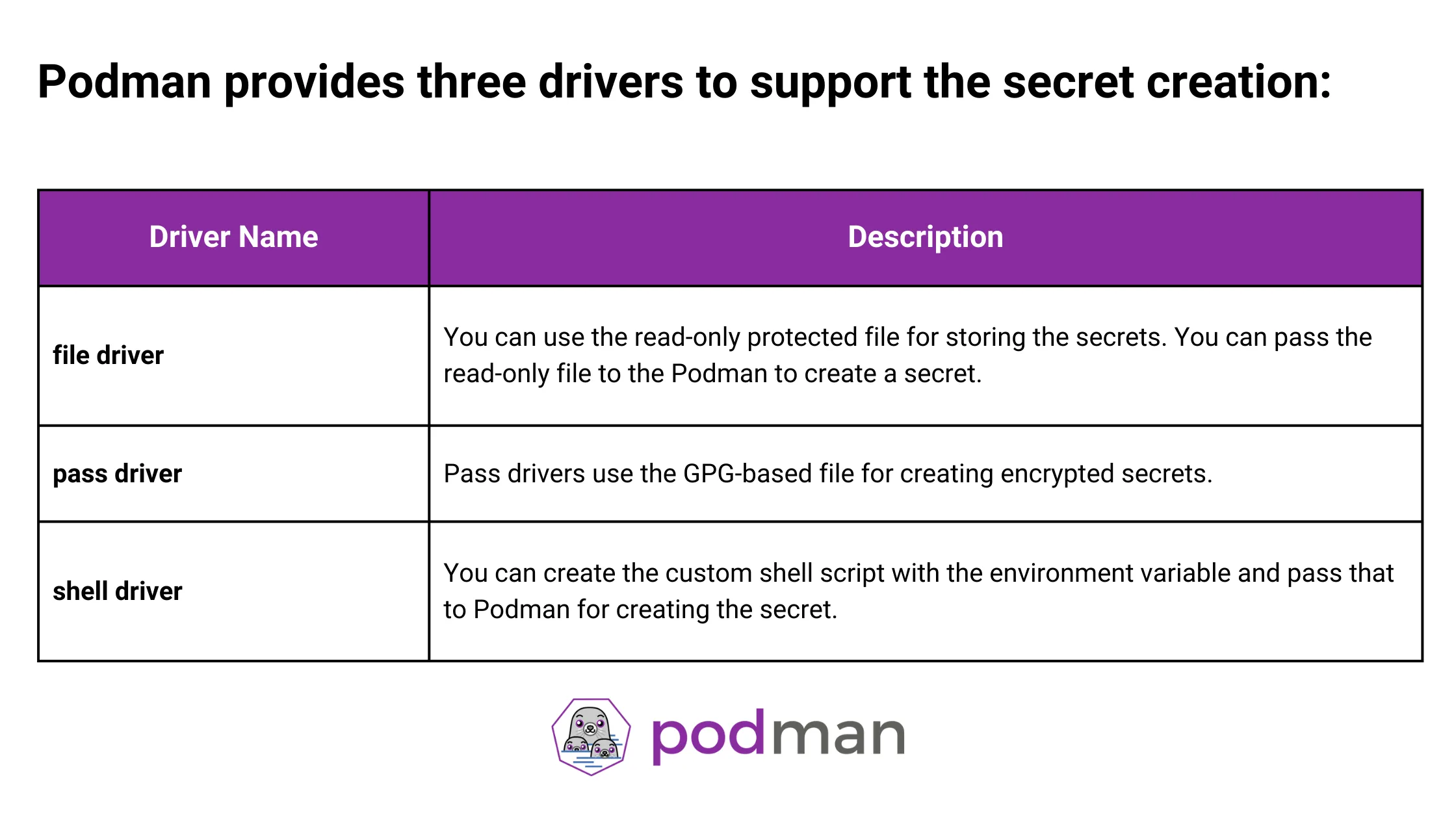
Podman Create Secret Drivers
Only Podman CheatSheet You'll Actually Use
Get the essential commands to manage containers faster - zero fluff, 100% useful.
Advanced Podman Secret Management
Apart from creating Podman secrets, Podman provides easy-to-use commands for managing the secrets. Let’s check the additional Podman Secrets commands:
List Existing Secrets
You can list all your available secrets in Podman with:
podman secret ls

# List secrets but format name only.
podman secret ls --format "{{.Name}}"
Inspect Podman Secrets
Once you create the Podman secrets, you might want to check secrets-related metadata or the secret data:
podman secret inspect super_secret

# Inspect the secret along with the secret data
podman secret inspect --showsecret super_secret
By default, Podman doesn’t expose the actual secret value but if you want to inspect the secret with real data you can pass an additional option --showsecret
Remove Podman Secrets
Podman provides a way to remove the secrets from the system.
Podman provides a safe method to remove the secrets. Podman copied the secret data and mounted them inside the container, so even if you remove the Podman secret it will be unaffected as the old secret is still present.
podman secret rm super_secret

# You can remove multiple secrets at once
podman secret rm super_secret1 super_secret2 super_secret3
Best Practices for Podman Create Secret
Let’s discuss the best practices for “Podman Create Secret”
Least Privilege Principle
Only grant the bare-minium permission and secrets that the container requires. Don’t be too permissive while giving access.
This reduces the attack surface if the container is compromised.
Use Strong & Unique Secrets
Don’t rely on the default password instead opt in for a strong and complex password that combines letters, numbers, and special characters.
Avoid reusing the same secrets across the environments, use unique secrets for each container and service. You can use the strong password generator for this.
Stop Googling Podman Commands
Grab the cheat sheet that gives you the right commands, right when you need them.
Regular Secrets Rotation
Set up the regular secret rotation policy for your container environment. Regular rotation protects your system from the potential data breach. Even if your sensitive secrets are exposed the validity of the secrets reduces the blast radius.
The best practice is to integrate the secret rotation within your CICD pipeline for automated management.
Use external Secret Management
You can use cloud-based secret management services from the public cloud such as AWS, Azure, and GCP.
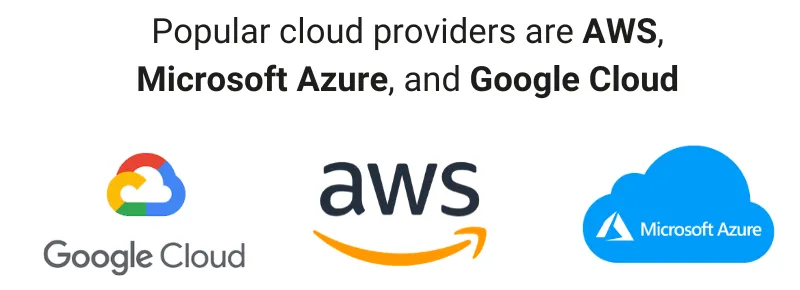
Podman Create Secret: Cloud Provider
AWS Key Management Service (KMS)
Azure Disk Encryption for Linux (ADE)
Conclusion
Podman Create Secret provides an easy-to-manage way to create, list, and inspect secrets. Podman provides various drivers such as file, pass and shell to create and manage the secrets within the Podman and mount them to the container.
Additionally, follow the best practices to enhance the overall security posture of your container applications. Security is a continuous process, regularly review and audit your security practice and logs and keep them improving.

Kashyap Merai, a Certified Solution Architect and Public Cloud Specialist with over 8 years in IT. He helped startups in Real Estate, Media Streaming, and On-Demand industries launch successful public cloud projects.
Passionate about Space, Science, and Computers. He also mentors aspiring cloud engineers, shaping the industry's future.
Connect with him on LinkedIn to stay updated on cloud innovations.