One Function in Terraform: Easy Guide
The one function in Terraform is a powerful function that helps you extract the first element from a list. In this blog, we'll explore how to use the one
Kashyap Merai / / terraform · 5 min read
The one function in Terraform is a powerful function that helps you extract the first element from a list. In this blog, we’ll explore how to use the one function in Terraform with practical examples and best practices to improve the configuration.
Introduction to Terraform Functions
What are Terraform Functions?
Terraform provides built-in utility functions that help modify data within your Terraform configuration.
You can perform the data manipulation operation with the help of the Terraform function. It helps simplify complex operations and makes the configuration code more readable and maintainable.
Terraform function can perform the tasks such as:
- String manipulation
- Complex logical operations
Understanding the Terraform function is important for writing efficient and effective infrastructure configurations.
Overview of Built-in Functions
As we discussed earlier, Terraform provides built-in functions for a variety of operations. You can easily categorize into a different type:
- string function
- numeric function
- collection function
These Terraform functions are essential for performing the data operation and template.
Some common functions include join, split, length, lookup, and, of course, One Function in Terraform.
Kickstart Your DevOps Career
Get the free Notion training board that shows you exactly what to learn, in what order, with zero guesswork.
One Function in Terraform: Detailed Explanation
What is the one Function?
The one function in Terraform is a part of the collection functions. It is used to select the first element of a list.
This function is particularly useful when you need to extract a single value from a list without iterating through it manually.
This is very helpful when you have a long list of elements and rather than looping over you can get a single first value from it.
Syntax:
one(list)In this example, list is a Terraform list.
Must Read 💡:
Pass a List Variable in Terraform: A Comprehensive Guide
Terraform Merge Lists: Effective Use
Use Cases for the One-Function
One Function in Terraform is straightforward to use but provides a powerful feature.
Here are some scenarios where it can be useful:
Extracting a Single Value: When you need to retrieve the first item from a list.
Simplifying Code: Reducing the complexity of your Terraform configurations and avoiding manual index operations.
One Function in Terraform: Practical Examples
One Function in Terraform: Basic Example
Let’s start with a simple example.
Suppose you have a list of instance IDs and you want to get the first instance ID.
variable "instance_ids" {
  default = ["i-544545434", "i-4545433523", "i-242454646"]
}

output "first_instance_id" {
  value = one(var.instance_ids)
}
In this example, one(var.instance_ids) returns”i-544545434”`, the first element of the list.
One Function in Terraform: Advanced Use Case
Consider a scenario where you have a list of security group IDs and you need to configure a security group rule using the first ID.
variable "security_group_ids" {
  default = ["sg-01abc234", "sg-02def567", "sg-03ghi890"]
}

resource "aws_security_group_rule" "allow_http" {
  type        = "ingress"
  from_port   = 80
  to_port     = 80
  protocol    = "tcp"
  cidr_blocks = ["0.0.0.0/0"]
  security_group_id = one(var.security_group_ids)
}
In this example, `one(var.security_group_ids) is used to select the first security group ID and apply it to the security group rule.
Troubleshooting Common Issues
Empty List Error:
Ensure that the list is not empty before using the one function.
variable "empty_list" {
  default = []
}

output "first_element" {
  value = length(var.empty_list) > 0 ? one(var.empty_list) : "List is empty"
}
Type Mismatch:
Ensure the input is a list. Using a non-list type will result in an error.
variable "non_list_input" {
  default = "not_a_list"
}

output "first_element" {
  value = one(var.non_list_input)
}
In this example, var.non_list_input is a string, not a list, which will result in an error when you try to use the one function. To fix this, ensure that the input is a list:
variable "correct_list_input" {
  default = ["item1", "item2", "item3"]
}

output "first_element" {
  value = one(var.correct_list_input)
}
This will correctly return "item1", the first element of the list.
Free DevOps Learning Board for Absolute Beginners
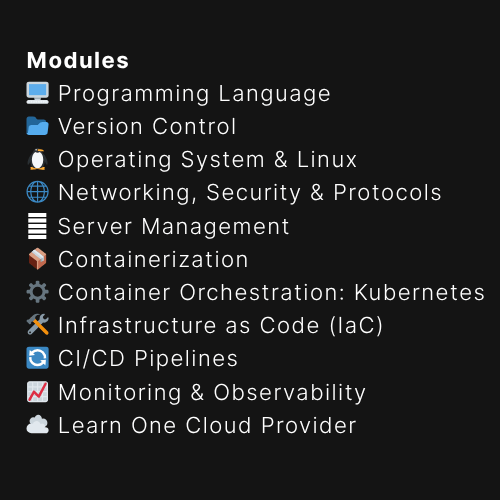
11 core modules, curated content, and clear action steps - all in one interactive Notion board.
Best Practices for Using Terraform Functions
Writing Efficient Terraform Code
Minimize Complexity: Use functions like one to simplify list manipulations and makes the code cleaner and more understandable
variable "instance_ids" {
  type    = list(string)
  default = ["i-12345678", "i-87654321", "i-23456789"]
}

output "first_instance_id" {
  value = one(var.instance_ids)
}
The one function directly retrieves the first element of the list, reducing the need for additional indexing or looping logic.
It clearly states the intent to get the first item from the list.
Avoid Hardcoding Values: Leverage variables and functions to maintain flexibility and readability.
variable "security_group_ids" {
  type    = list(string)
  default = ["sg-01abc234", "sg-02def567", "sg-03ghi890"]
}

resource "aws_security_group_rule" "allow_http" {
  type              = "ingress"
  from_port         = 80
  to_port           = 80
  protocol          = "tcp"
  cidr_blocks       = ["0.0.0.0/0"]
  security_group_id = one(var.security_group_ids)
}
By using variables (security_group_ids), you avoid hardcoding values, making the configuration more flexible and easier to update.
Testing and Validating Terraform Functions
Unit Testing: Use Terraform testing tools like terraform validate and terraform console to test your functions.
Terraform Validate vs Plan: Understanding the Key Differences
Validation Example:
terraform console
> var.instance_ids
> one(var.instance_ids)
This interactive testing helps ensure that your one function works as expected.
Conclusion
The one function in Terraform is a simple yet powerful tool for extracting the first element from a list.
It streamlines your code, making it cleaner and easier to maintain.

Additional Resources
For more detailed information and advanced usage, check out the following resources:

Kashyap Merai, a Certified Solution Architect and Public Cloud Specialist with over 8 years in IT. He helped startups in Real Estate, Media Streaming, and On-Demand industries launch successful public cloud projects.
Passionate about Space, Science, and Computers. He also mentors aspiring cloud engineers, shaping the industry's future.
Connect with him on LinkedIn to stay updated on cloud innovations.