How to Use Terraform Concat Function: Examples and Best Practice
Learn how to use the Terraform concat function to combine lists in your configurations. Learn syntax, practical examples, advanced use cases, and best practices.
Kashyap Merai / / terraform · 5 min read

The Terraform concat function is essential for efficient list management same as the other functions we have talked about earlier such as the merge and merge list. You can use the Terraform concat function to combine lists and manage the configuration flexibly.
In this article, we will discuss what the Terraform concat function is, and how it works with practical examples of using it with your workflow.
What is the Terraform Concat Function?
Overview of Terraform Concat
The concat function in Terraform allows you to aggregate and combine multiple lists into a single unified list. The Terraform concat function can streamline the configuration by reducing the manual handling of list-objects.
This kind of utility function is helpful when you need to manage complex infrastructure code where you have different modules and resources that need to share data.
Why Use Concat in Terraform Configurations?
Let’s discuss why use the concat and what kind of benefits you can get:
Efficiency: Allows you to handle multiple lists without writing the manual repetitive code.
Flexibility: You can make dynamic lists from the variables for your configuration.
Practical: Useful in the infrastructure setup with various environments to be combined and managed easily.

Syntax and Structure of the Terraform Concat Function
Basic Syntax
The syntax of concat is pretty straightforward:
concat(list1, list2, list3, ...)list1,list2, list3, etc., are the lists you want to merge.The output result is a single unified list containing all the elements from the provided lists.
Supported Data Types
The Terraform concat function works with lists containing any data type such as string, numbers, booleans. However, all the lists that you want to concat must have compatible data types.
If you mix up the data type like a string with the number and so it will result in errors.
Example: Basic Syntax
variable "fruits" {
  default = ["apple", "banana"]
}

variable "vegetable" {
  default = ["carrot", "potato"]
}

output "combined_list" {
  value = concat(var.fruits, var.vegetable)
}
Output:
combined_list = [
  "apple",
  "banana",
  "carrot",
  "potato"
]
How to Use Terraform Concat with Examples
Concatenating Multiple Lists
When you have the modular infrastructure code and component in please you might want to concate the multiple lists in to single list like final list of variables or configuration settings.
Let’s understand it by the example, we’ll combine the two lists of servers into a single one where we want to deploy the configuration changes.
variable "dev_servers" {
  default = ["dev-server-1", "dev-server-2"]
}

variable "stg_servers" {
  default = ["s-tgserver-1", "stg-server-2"]
}

variable "prod_servers" {
  default = ["prod-server-1", "prod-server-2"]
}

output "all_servers" {
  value = concat(var.dev_servers, var.stg_servers, var.prod_servers)
}
Output:
all_servers = [
  "dev-server-1",
  "dev-server-2",
  "stg-server-1",
  "stg-server-2",
  "prod-server-1",
  "prod-server-2"
]
This way you can get the combination of all the list of server names into single list, later can be used in the other part of the Terraform configuration.
Concatenating Lists with Mixed Data Types
As we discussed before, lists can’t have mixed data types. So when you’re working with lists that contain multiple data types, ensure the data consistency to avoid runtime errors.
The Terraform concat function doesn’t support the list with mixed data type natively but you can use the type conversion or handle data validation logic manually.
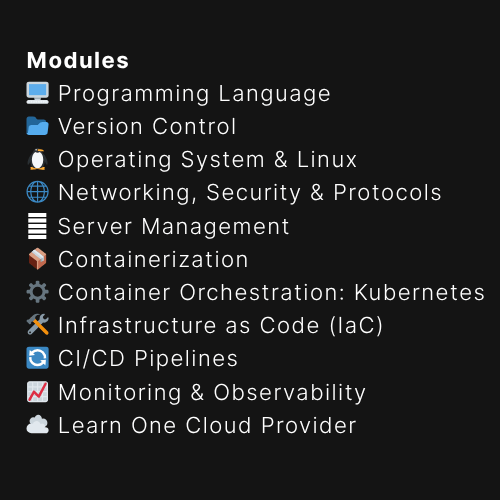
Free DevOps Learning Board for Absolute Beginners
11 core modules, curated content, and clear action steps - all in one interactive Notion board.
Advanced Use Cases of Terraform Concat
Using Concat with Conditional Logic
So far we’ve learned about the basics of list concatenating, but in real-world scenarios, you might have a complex setup and need multiple conditions and based on that concatenate the lists.
For example, if you only want to add the additional server name to the final output:
variable "extra_servers" {
  default = ["extra-server-1", "extra-server-2"]
}

variable "add_extra" {
  default = true
}

output "final_servers" {
  value = concat(["base-server-1", "base-server-2"], var.add_extra ? var.add_extra : [])
}
This configuration uses conditional logic to include extra_servers only when add_extra is set to true.
Output if add_extra is true:
final_servers = [
  "base-server-1",
  "base-server-2",
  "extra-server-1",
  "extra-server-2"
]
Combining Concat with Other Terraform Functions
Using the only concat function might not be very useful but you can combine it with other functions like join and flatten to make a more powerful composition and make the list more dynamic and flexible.
variable "nested_list" {
  default = [["apple", "banana"], ["carrot", "potato"]]
}

output "flattened_list" {
  value = concat(["start"], flatten(var.nested_list), ["end"])
Output:
flattened_list = [
  "start",
  "apple",
  "banana",
  "carrot",
  "potato",
  "end"
]
As you can see how helpful it can be, for example, used flatten to convert a nested list into a single-level list, then concatenate it with additional list elemets.
Best Practices for Using Concat in Terraform
When to Use Concat for Lists and Strings
You can use the Terraform concat function when working the multiple lists that need to be merged and provide this single unified lists output. This is helpful in multiple cases particularly when you have a modular configuration architecture.
You can use it to aggregate IP lists
Unified lists of network resources
Avoiding Common Issues with Concat
Compablitiy Issue
Always check and verify the data types within your lists to avoid errors.
Nested Lists
The concrete function can’t handle the nested structure and won’t flatten nested lists, you should use the flatten function if needed.
Always Tests
You can use the Terraform built-in terraform plan to test your changes and the concatenated lists for troubleshooting.
Kickstart Your DevOps Career
Get the free Notion training board that shows you exactly what to learn, in what order, with zero guesswork.
Terraform Concat vs. Other List Manipulation Functions
Concat vs. Merge
Well, the concat and merge might seem doing the essentially same thing but there are fundamental differences.
| Terraform Function | Usage |
|---|---|
| Terraform Concat | Works with the lists, append the elements from each list |
| Terraform Merge | Works by merging the maps, useful for combining key-value pairs. |
Terraform Concat vs Terraform Merge
Choosing the Right Function for Your Use Case
Select concat when dealing with lists and merge for map structures.
Other ways usage of these functions can result in errors or unexpected results, so be mindful of each function’s intended purpose.
Conclusion
The Terraform Concate function is useful for combining lists and simplifying configuration management.
Once you understand the syntax, use cases, and compatibility you can use it with your current workflow for dynamic and efficient infrastructure management.
Read More Articles
How to use Terraform Merge Function: Tips, Examples, and Best Practices
Terraform Coalesce vs Try: Error Handling with Practical Examples
Terraform Merge Lists: Effective Use
Terraform Comment Block: A Comprehensive Guide

Kashyap Merai, a Certified Solution Architect and Public Cloud Specialist with over 8 years in IT. He helped startups in Real Estate, Media Streaming, and On-Demand industries launch successful public cloud projects.
Passionate about Space, Science, and Computers. He also mentors aspiring cloud engineers, shaping the industry's future.
Connect with him on LinkedIn to stay updated on cloud innovations.