Terraform Destroy Specific Resource: Simple Guide
Knowing how to perform a "Terraform destroy specific resource" operation is critical for efficient and safe resource management.
Kashyap Merai / / terraform · 5 min read
Infrastructure management with Terraform involved making changes and updates to specific components without affecting the entire infrastructure. Knowing how to perform a “Terraform destroy specific resource” operation is critical for efficient resource management.
This article will walk you through the steps to safely destroy the specific resource in Terraform.
Terraform Destroy Specific Resource: Introduction
Overview of Terraform
Terraform is an open-source infrastructure as code tool that allows you to define and provision infrastructure using a high-level configuration language known as HCL.
Terraform’s ability to manage the infrastructure resources across the various cloud providers makes it a powerful tool for DevOps and Cloud Professionals.
Importance of Resource Management in Terraform
Management of the infrastructure is critical with Terraform to avoid unwanted outcomes such as incurring unexpected costs or destroying critical infrastructure components.
Terraform destroying specific resources can help to maintain control over your infrastructure management.
Creating and managing the infrastructure resource is one thing but understanding and destroying specific resources safely is a whole other level.
Terraform Wait for Resource: A Comprehensive Guide
Master Terraform Null Resource
Kickstart Your DevOps Career
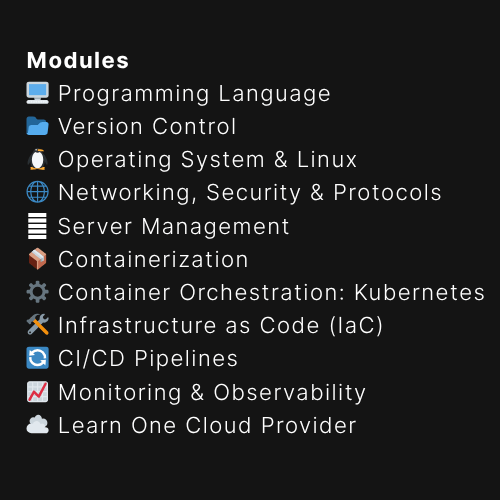
Get the free Notion training board that shows you exactly what to learn, in what order, with zero guesswork.
Understanding Terraform Destroy Specific Resource
What Does ‘Terraform Destroy’ Do?
The terraform destroy command is used to delete all the resources defined in your Terraform configuration files.
When you run terraform destroy command:
Terraform reads the state file
Determine which resources need to be destroyed
Proceeds to delete them.
Example Command:
terraform destroyWhy Destroy a Specific Resource?
Destroying specific resources allows you to avoid the accidental deletion of other infrastructure components.
There may be cases where you create the resource for testing purposes, by mistake, or components that are no longer needed.
To delete that you need to target the specific resource in Terraform. Without that, Terraform will destroy the entire infrastructure and that can be a nightmare.
In short, Destroy a specific resource is useful when you need to make changes to a subset of your resources without affecting the entire infrastructure stack.
Terraform Destroy Specific Resource: Prerequisites
Setting Up Your Terraform Environment
Before you start, ensure that Terraform is installed on your system.
If you have Terraform already installed and setup you can skip this part.
If not, you can download Terraform from the official Terraform website and follow the installation guide according to your operating system.
Lastly, verify the installation:
# Verify Terraform installation
terraform version
Identifying the Resource to Destroy
Of course, if you want to destroy a resource, you need to identify it first. Once you identify the resource from your Terraform state, it’s easy to destroy the resource.
Use the terraform state list command to view all resources managed by Terraform.
Example Command:
terraform state listOutput:
aws_instance.web
aws_instance.web[0]
aws_instance.web[1]
module.elb.aws_elb.main
Filtering by Resource
terraform state list aws_instance.web
aws_instance.web[0]
aws_instance.web[1]
Free DevOps Learning Board for Absolute Beginners
11 core modules, curated content, and clear action steps - all in one interactive Notion board.
Terraform Destroy Specific Resource: Steps
Using the Target Flag
Terraform provides the -target flag to specify which resource to destroy. This flag allows you to target a single resource without affecting others.
Syntax:
terraform destroy -target=resource_type.resource_nameExample Command:
terraform destroy -target=aws_instance.web[0]Verifying the Resource Destruction
After running the destroy command, verify that the resource has been removed.
You can again run the terraform state list again to check if the resource is still present.
Example Command:
terraform state listOutput (after destruction):
aws_instance.web
aws_instance.web[1]
module.elb.aws_elb.main
Terraform Destroy Specific Resource: Best Practices
1. Review Diff Before Destroy
Before running any destroy operation, always run terraform plan with the -destroy flag and target specific resources using -target.
This step ensures that you have a clear understanding of which resources will be affected and allows you to verify the execution plan before proceeding.
Terraform Validate vs Plan: Understanding the Key Differences
Example Command:
terraform plan -destroy -target=aws_instance.example_instance2. Utilize the Remote State Management
Store your Terraform state file remotely using services like Terraform Cloud, AWS S3, or Azure Storage.
Remote state management allows collaboration with multiple team members to work on the same infrastructure project securely.
Not only that but, state locking prevents concurrent modifications to the state file, reducing the risk of errors and state corruption
3. Deletion Protection
Deletion protection helps prevent accidental deletion of critical resources, reducing the chances of downtime and data loss.
For critical production resources, such as databases or key infrastructure components, enable deletion protection where available.
4. Version Control
Utilize a Version Control System (VCS) such as Git to manage your Terraform configurations.
Version control allows you to track changes over time, revert to previous configurations if needed, and collaborate with your team on infrastructure changes.
5. Least Privileged Access
Only grant permissions to users and automation systems that explicitly require them.
The least privileged principal minimizes the risk of accidental resource deletions and unauthorized changes.

Troubleshooting Common Issues
Resource Not Found
If Terraform cannot find the specified resource in the state file, there are a few steps to troubleshoot this issue:
Verify Resource Name: Make sure the resource name is correctly specified in the command.
Refresh State: Use the
terraform refreshcommand to update the state file and verify it reflects the current infrastructure.
Example Command:
terraform refreshErrors During Resource Destruction
During the deletion process, you may encounter errors such as dependency violations or resource locks.
Here are some common issues and their solutions:
Dependency Violations
“DependencyViolation: Cannot delete entity because it is being referenced by another resource.”
Solution: Review the resource’s dependencies and update the Terraform configuration to remove or reconfigure dependent resources first.
Resource Locks
“Resource is locked and cannot be modified or deleted.”
Solution: Identify and resolve the locking issue, which may involve manually unlocking the resource or waiting for an ongoing operation to complete.
In both cases, carefully reading the error messages and checking the Terraform documentation can provide further guidance on resolving these issues.
Terraform 409 Conflict Errors: Understand & Resolve
Conclusion
Terraform Destroy Specific Resource is a powerful feature that allows for safe control over your infrastructure.
Always use the -target flag and run terraform plan to avoid unintended deletions.
Free DevOps Learning Board for Absolute Beginners
11 core modules, curated content, and clear action steps - all in one interactive Notion board.

Kashyap Merai, a Certified Solution Architect and Public Cloud Specialist with over 8 years in IT. He helped startups in Real Estate, Media Streaming, and On-Demand industries launch successful public cloud projects.
Passionate about Space, Science, and Computers. He also mentors aspiring cloud engineers, shaping the industry's future.
Connect with him on LinkedIn to stay updated on cloud innovations.