How to Terraform Generate Password: Easy Guide
Terraform Generate Password provides mechanisms to reduce the risk of weak or predictable passwords.
Kashyap Merai / / terraform · 3 min read
Terraform Generate Password: Introduction
Importance of Secure Passwords in Infrastructure
Security is paramount for infrastructure as code (IaC). One of the key aspects of securing your infrastructure is ensuring the passwords are strong, randomly generated, and not easily memorable. Terraform Generate Password provides mechanisms to reduce the risk of weak or predictable passwords.
Terraform Generate Password: Capabilities
Terraform extends to password generation through its integration with various providers.
Terraform random provider has ways to generate the random string with different settings to generate the secure passwords.
This article will guide you through the steps to Terraform Generate Password.
Kickstart Your DevOps Career
Get the free Notion training board that shows you exactly what to learn, in what order, with zero guesswork.
Prerequisites
Setting Up Terraform
Before you begin, ensure that you have Terraform installed on your system. You can download the latest version from the official Terraform website.
Follow the installation instructions for your operating system.
Required Providers and Modules
To generate a random password using Terraform, you’ll need the random provider.
Add the following provider to your Terraform file to include the random provider:
resource "random_password" {}Steps to Generate a Password in Terraform
Installing the Random Provider
To use the random_password provider, define it in your Terraform configuration. The random provider is developed and maintained by HashiCorp, which you can easily include in your project.
Configuration Example
Here is a basic configuration example to get you started with password generation:
resource "random_password" "long_passwd" {
  length  = 16
  special = true
}
Common Parameters and Options
The random_password resource has several parameters you can customize:
length: Specifies the length of the generated password.special: A boolean to include special characters in the password.min_upper,min_lower,min_numeric: Set minimum numbers of uppercase, lowercase, and numeric characters.

Terraform Generate Password: Example Code
Basic Password Generation
Below is a complete example of generating a simple password:
resource "random_password" "example" {
  length  = 16
}

output "generated_password" {
  value = random_password.example.result
}
Explanation of Code
Resource Definition: The
random_passwordresource generates a password of 16 characters.Output Block: Outputs the generated password to the console.
Advanced Password Generation
To create more complex passwords, you can adjust the parameters:
resource "random_password" "complex" {
  length           = 20
  special          = true
  min_upper        = 3
  min_lower        = 3
  min_numeric      = 3
  min_special      = 3
}

output "complex_password" {
  value = random_password.complex.result
}
Explanation of Code
This resource definition generates a password with the following properties:
length: Set to 20 characters.special: Includes special characters.min_upper,min_lower,min_numeric,min_special: Ensures the password contains at least 3 uppercase letters, 3 lowercase letters, 3 numeric digits, and 3 special characters.
Using Additional Features
You can specify custom character sets for more control over the password content:
resource "random_password" "custom" {
  length           = 24
  special          = true
  override_special = "_%@"
}

output "custom_password" {
  value = random_password.custom.result
}
In this example, the password will include the characters _, %, and @ as special characters.
This resource generates a password with:
length: Set to 24 characters.special: Includes special characters.override_special: Specifies_,%, and@as the set of special characters.
Free DevOps Learning Board for Absolute Beginners
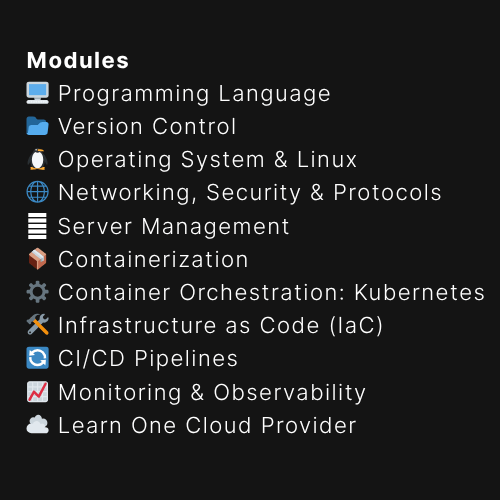
11 core modules, curated content, and clear action steps - all in one interactive Notion board.
Conclusion
Generating secure passwords is a critical step in ensuring the security of your infrastructure. With Terraform and the random_password provider. You can easily create complex, random passwords tailored to your security needs.
By following the examples provided, you can integrate password generation into your Terraform workflows, improve the security and robustness of your deployments.
Additional Reading
Terraform Where to Store Secrets: Best Practices and Solutions

Kashyap Merai, a Certified Solution Architect and Public Cloud Specialist with over 8 years in IT. He helped startups in Real Estate, Media Streaming, and On-Demand industries launch successful public cloud projects.
Passionate about Space, Science, and Computers. He also mentors aspiring cloud engineers, shaping the industry's future.
Connect with him on LinkedIn to stay updated on cloud innovations.