Terraform jsonencode Example: A Comprehensive Guide
jsonencode is a function in Terraform to handle JSON. Let's check the "Terraform jsonencode Example" to understand the practical usage with best practices.
Kashyap Merai / / terraform · 7 min read
Introduction to Terraform and jsonencode
What is Terraform?
Terraform is an open-source tool developed by HarshiCorp to manage infrastructure as a code. Terraform allows you to write and provide the infrastructure using the high-level configuration language with HCL syntax.
Understanding Terraform jsonencode Example
Terraform provides built-in helpful functions. The jsonencode function in Terraform converts the data to JSON-encoded strings. JSON object is useful for integrating API integration, configuration initialization, and default parameters with other cloud providers.
Why Use jsonencode in Terraform?
Using the jsonencode function with the Terraform simplifies the process of handling the complex data type and structure. It’s crucial to keep the JSON format error-free with the correct formatting and eliminate the manual JSON sting operation.
Let’s explore the “Terraform jsonencode Example” to understand the practical usage with best practices.

Setting Up Your Terraform Environment
I assumed you already have the Terraform environment installed and running but if not you can follow along to install the Terraform:
Installing Terraform
Let’s get started with Terraform:
1. Download Terraform
Visit the official Terraform Download and download the appropriate package for your operating system.
2. Install Terraform
On MacOS: Use Homebrew
brew tap hashicorp/tap
brew install hashicorp/tap/terraform
On Windows: Unzip the downloaded file and place the executable in a directory included in your system’s PATH.
On Linux: Use the package manager for your distribution, or manually install it by unzipping the file and moving the binary to /usr/local/bin.
3. Verify the Installation
Finally, verify the Terraform installation
terraform -vConfiguring Your Terraform Workspace
1. Create a project directory
mkdir terraform-jsonencode-example
cd terraform-jsonencode-example
2. Init the Terraform
terraform initterraform init will download the necessary provider plugins in the correct working directory.
Basic Terraform Commands You Need to Know
Let’s understand the basic Terraform commands to get started with the Terraform jsonencode example
| Command | Usage |
|---|---|
terraform plan | Generates an execution plan for Terraform. Show detailed steps for the current state to the desired steps |
terraform apply | Apply and run the execution plan to reach the desired steps |
terraform destroy | Destroys the managed infrastructure. |
Terraform jsonencode Example: Basic Commands
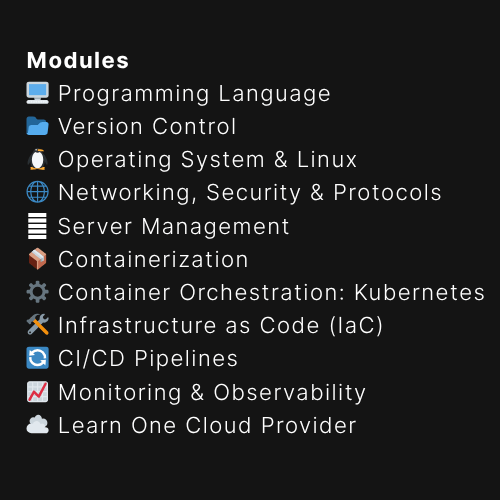
Free DevOps Learning Board for Absolute Beginners
11 core modules, curated content, and clear action steps - all in one interactive Notion board.
Terraform jsonencode Example
jsonencode Function Syntax
The jsonencode is a built-in Terraform function that converts a string value into a JSON-formatted string. The syntax for the jsonencode is simple and easy to use, and essential for handling JSON data with easy.
Let’s understand the syntax with Terraform jsonencode example:
jsonencode(value)value is sting input that you want to convert into a JSON string. Input data can be a string, number, boolean, list, or map
Convert a simple map for Terraform jsonencode example:
locals {
  example_map = {
    name = "Terraform jsonencode Example"
    count = 3
  }
}

output "json_string" {
  value = jsonencode(local.example_map)
}
Running the above command will provide the output:
{ "count": 3, "name": "Terraform jsonencode Example" }Supported Data Types for jsonencode
The jsonencode function supports various data types to provide a flexible data structure.
| Data Type | Description |
|---|---|
Strings | Simple text values. |
Numbers | Both integers and floating-point numbers. |
Booleans | true or false values. |
Lists | Arrays of values, and can be of mixed types. |
Maps | Key-value pairs, where the keys are strings and the values can be any supported type. |
Terraform jsonencode Example: Data Types
Let’s understand the data types with the Terraform jsonencode Example:
locals {
  example_string = "Terraform jsonencode Example"
  example_number = 42
  example_boolean = true
  example_list = ["Terraform", "jsonencode", "Example"]
  example_map = {
    key1 = "jsonencode"
    key2 = "Example"
  }
}

output "json_string" {
  value = jsonencode(local.example_string)
}

output "json_number" {
  value = jsonencode(local.example_number)
}

output "json_boolean" {
  value = jsonencode(local.example_boolean)
}

output "json_list" {
  value = jsonencode(local.example_list)
}

output "json_map" {
  value = jsonencode(local.example_map)
}
Terraform jsonencode Example: Basics
1. Encoding Simple JSON Objects
variable "user" {
  type = map(string)
  default = {
    name  = "Dev DevOps"
    email = "contact@devtodevops.com"
  }
}

output "user_json" {
  value = jsonencode(var.user)
}Output:
{ "email": "contact@devtodevops.com", "name": "Dev DevOps" }2. Encoding Complex Nested Structures
variable "complex_structure" {
  type = map(any)
  default = {
    name = "Terraform jsonencode Example"
    details = {
      version = "1.0"
      tags = ["tag1", "tag2"]
    }
  }
}

output "complex_structure_json" {
  value = jsonencode(var.complex_structure)
}Output:
{ "details": { "tags": ["tag1", "tag2"], "version": "1.0" }, "name": "Terraform jsonencode Example" }3. Using jsonencode with Variables
variable "server_config" {
  type = map(any)
  default = {
    instance_type = "t2.micro"
    ami = "ami-0abcdef1234567890"
    tags = {
      Name = "Terraform jsonencode Example"
      Environment = "dev"
    }
  }
}

resource "aws_instance" "example" {
  instance_type = var.server_config["instance_type"]
  ami           = var.server_config["ami"]
  tags          = jsondecode(jsonencode(var.server_config["tags"]))
}
4. Integrating jsonencode with Terraform Modules
module "example_module" {
  source = "./module"
  config = jsonencode({
    instance_type = "t2.micro"
    ami = "ami-0abcdef1234567890"
  })
}

# Inside module/main.tf
variable "config" {
  type = string
}

locals {
  config = jsondecode(var.config)
}

resource "aws_instance" "example" {
  instance_type = local.config["instance_type"]
  ami           = local.config["ami"]
}
Terraform jsonencode Example: Practical
1. Passing Configuration Data to Cloud Services
With cloud providers, you can pass the JSON configuration data with jsonencode:
resource "aws_instance" "jsoncode-example" {
  ami           = "ami-0abcdef1234567890"
  instance_type = "t2.micro"

  user_data = jsonencode({
    "name"    = "terraform-jsonencode-example"
    "version" = "1.0"
  })
}
2. Store Complex Data Structures in Environment Variables
You can convert the complex data structure in the environment variables:
resource "aws_lambda_function" "jsoncode-example" {
  function_name = "terraform_jsonencode_example_lambda"
  handler       = "index.handler"
  runtime       = "nodejs12.x"
  role          = aws_iam_role.lambda_exec.arn

  environment {
    variables = {
      CONFIG = jsonencode({
        "key1" = "value1"
        "key2" = "value2"
      })
    }
  }
}
3. Generating JSON Strings for Third-Party APIs
You can generate the JSON string for the Third-party API as a payload from your Terraform:
resource "http" "jsoncode-example" {
  url = "/blog/endpoint"
  request_body = jsonencode({
    "param1" = "value1"
    "param2" = "value2"
  })
}
4. Integrate with Configuration Management Tools
You can use the jsonencode with the configuration management tools such as Ansible or Chef:
data "template_file" "user_data" {
  template = file("${path.module}/user_data.tpl")
  vars = {
    config_json = jsonencode({
      "setting1" = "value1"
      "setting2" = "value2"
    })
  }
}

resource "aws_instance" "jsoncode-example" {
  ami           = "ami-0abcdef1234567890"
  instance_type = "t2.micro"
  user_data     = data.template_file.user_data.rendered
}
Terraform jsonencode Example: Troubleshooting Guide
Debugging Syntax Errors
A common issue happened when the input to jsonencode is not formatted properly and encounters syntax errors. Always check your data is structured and properly defined.
Opt-in for the official HashiCorp Terraform Extension in the code editor
Handling Unsupported Data Types
We have already discussed the supported data types for the Terraform.
Double-check your input data for jsonencode. If you use and encode the unsupported data types Terraform will throw an error.
Tips for Efficient Debugging in Terraform
Terraform provides the built-in function to check and validate the Terraform configuration file. You can use the terraform format and terrafrom validate commands to test.
Additionally, check the details to understand the validate & plan function:
Terraform Validate vs Plan: Understanding the Key Differences
Free DevOps Learning Board for Absolute Beginners
11 core modules, curated content, and clear action steps - all in one interactive Notion board.
Terraform jsonencode Example: Best Practices
Optimizing jsonencode in Large Terraform Projects
Common practice is to modularize your code.
A small code module is easy to read and maintainable.
Use
jsoncodeto avoid unnecessary complexity.Unit tests the code module for better code coverage
Don’t miss the Top 5 Terraform Module Versioning Best Practices
Combining jsonencode with Terraform Functions
Generate the dynamic configuration file by combining the other Terraform functions like templatefile
locals {
  config_template = templatefile("config.tpl", {
    instance_type = "t2.micro"
    ami = "ami-0abcdef1234567890"
  })
}

output "config_json" {
  value = jsonencode(local.config_template)
}
Maintaining Readability and Manageability
Follow the best practices for writing the Terraform Module
Add relevant code comments to explain the code structure
Break the large code into manageable smaller modules.
Terraform jsonencode Example: FAQs
What are the Limitations of jsonencode?
jsonencode can only handle supported data types. Unsupported types will result in errors.
How Can I Use jsonencode for Dynamic Configurations?
Combine jsonencode with other Terraform functions like templatefile to create dynamic and flexible configurations.
Can jsonencode be Used with Terraform Cloud?
Yes, jsonencode can be used with Terraform Cloud just like in local Terraform executions.
Conclusion
Summary of Key Points:
jsonencodeis a built-in function in Terraform to handle JSON datajsonencodeis useful for passing the configuration data to cloud services and APIsCheck the Terraform jsonencode Example with practical to see the usage with various use cases.

Kashyap Merai, a Certified Solution Architect and Public Cloud Specialist with over 8 years in IT. He helped startups in Real Estate, Media Streaming, and On-Demand industries launch successful public cloud projects.
Passionate about Space, Science, and Computers. He also mentors aspiring cloud engineers, shaping the industry's future.
Connect with him on LinkedIn to stay updated on cloud innovations.