Terraform Nonsensitive: 4 Essential Tips for Safe Data Handling
Learn how to use Terraform Nonsensitive to enhance your infrastructure management effectively and explores the benefits, implementation, and best practices.
Kashyap Merai / / terraform · 4 min read
Learn how to use Terraform Nonsensitive to enhance your infrastructure management effectively.
This guide explores the benefits, implementation, and best practices for securely handling sensitive data in Terraform configuration.
Learn practical tips and avoid common pitfalls with our comprehensive overview of Terraform Nonsensitive.
Understanding Terraform Nonsensitive
Introduction to Terraform Nonsensitive
Managing sensitive data such as passwords, API keys, and certificates is critical for maintaining security and compliance in Terraform.
Terraform provides various methods to handle sensitive information, and one such method is the nonsensitive function. Terraform Nonsensitive is essential to ensure that sensitive data is not exposed in logs or state files.
How to Terraform Generate Password: Easy Guide
Terraform Where to Store Secrets: Best Practices and Solutions
The nonsensitive the function provides functionality to mark the data as insensitive and inform the Terraform configuration to treat it appropriately.
Using the nonsensitive function you can prevent sensitive values from being logged in plaintext or stored in unencrypted state files.
Now we know the basics of the nonsensitive function, let’s understand what is nonsensitive.
What is Terraform Nonsensitive?
The nonsensitive the function is used in Terraform to wrap sensitive values.
When you apply the values as nonsensitive, Terraform treats the values differently and prevents them from being logged in plain text or stored in unencrypted state files.
But the question is why do we need to use the nonsensitive function?
Why Use the Nonsensitive Function?
Managing the infrastructure with security in mind is essential. Using the nonsensitive function, you can adhere to the security best practices.
It ensures that sensitive information remains protected throughout your deployment pipelines
| Aspect | Without nonsensitive | With nonsensitive |
|---|---|---|
| Logging | Sensitive data may appear in logs in plaintext | Sensitive data is excluded from plaintext logs |
| State Files | Sensitive data stored unencrypted in state files | Sensitive data is protected, not stored in plaintext |
| Security Compliance | Increased risk of exposure and non-compliance | Enhanced security, adhering to best practices |
| Automation | Potential compromise of sensitive data | Secure automation without data exposure |
| Scalability | Security measures might hinder scalability | Balanced security and scalability, ensuring protection |
Terraform Nonsensitive Usage

How to Implement Terraform Nonsensitive
Basic Syntax and Usage
Implementing nonsensitive is straightforward.
Let’s check the following example where a sensitive API key is marked as insensitive:
variable "api_key" {
  type        = string
  description = "Sensitive API key"
  sensitive   = true
}

resource "example_resource" "example" {
  api_key = nonsensitive(var.api_key)
}
In this code example, var.api_key is a sensitive variable, and nonsensitive ensures it is handled securely within the Terraform state.
Advanced Use Cases
You might need to generate secrets dynamically or sensitive data in your Terraform configuration.
This could include generating temporary credentials, session tokens, or encryption keys for secure communication between services or applications.
How to Terraform Generate Password: Easy Guide
Let’s take an example where you have the AWS resource, IAM role with temporary session credentials that are sensitive and should not be exposed in logs or stored unencrypted in Terraform state files.
To ensure the generated temporary credentials are handled securely, you can use the nonsensitive function to mark them within your Terraform configuration:
variable "role_name" {
  type        = string
  description = "Name of the IAM role"
}

resource "aws_iam_role" "example_role" {
  name               = var.role_name
  assume_role_policy = jsonencode({
    Version = "2012-10-17"
    Statement = [
      {
        Effect    = "Allow"
        Principal = {
          Service = "ec2.amazonaws.com"
        }
        Action    = "sts:AssumeRole"
      }
    ]
  })
}

resource "aws_iam_role_policy_attachment" "example_policy_attachment" {
  role       = aws_iam_role.example_role.name
  policy_arn = "arn:aws:iam::aws:policy/AmazonS3ReadOnlyAccess"
}

output "role_arn" {
  value = aws_iam_role.example_role.arn
}

output "temporary_credentials" {
  value = nonsensitive(aws_iam_role.example_role.arn)
}
In this code example, aws_iam_role.example_role.arn represents sensitive information (the IAM role ARN) that should be protected.
By using nonsensitive, you can ensure that sensitive data is excluded from plaintext logs and stored securely, maintaining compliance with security best practices.
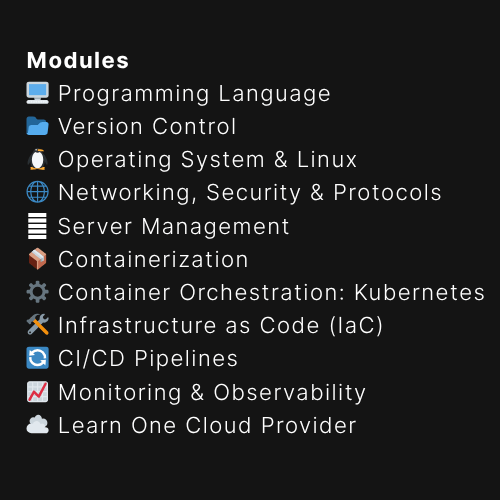
Free DevOps Learning Board for Absolute Beginners
11 core modules, curated content, and clear action steps - all in one interactive Notion board.
Best Practices for Using Terraform Nonsensitive
Security Considerations
Always encrypt sensitive variables before using nonsensitive. This ensures data protection both at rest and in transit.
Additionally, restrict access to sensitive data within your Terraform environment to authorized users only. Store the secrets in a remote location and implement role-based permission access.
Terraform Where to Store Secrets: Best Practices and Solutions
Performance Implications
nonsensitive function enhances security but can impact Terraform’s plan and apply operations slightly due to additional encryption or handling procedures.
Optimize performance by minimizing sensitive data usage or using caching mechanisms where applicable.
Terraform jsonencode Example: A Comprehensive Guide
Terraform XML Encode: A Comprehensive Guide
Troubleshooting Terraform Nonsensitive
Common Errors and Fixes
The most common error with using the nonsensitive relates to misconfiguration or incorrect handling of sensitive values.
Ensure proper syntax and compatibility with Terraform versions.
Debugging logs can resolve most issues effectively.
Kickstart Your DevOps Career
Get the free Notion training board that shows you exactly what to learn, in what order, with zero guesswork.
Conclusion
In conclusion, Terraform Nonsensitive allows developers and operators to manage sensitive data securely within the infrastructure as code deployments.
By implementing best practices, you can enhance the security posture of your Terraform configurations while streamlining automation and scalability.

Kashyap Merai, a Certified Solution Architect and Public Cloud Specialist with over 8 years in IT. He helped startups in Real Estate, Media Streaming, and On-Demand industries launch successful public cloud projects.
Passionate about Space, Science, and Computers. He also mentors aspiring cloud engineers, shaping the industry's future.
Connect with him on LinkedIn to stay updated on cloud innovations.